01
Lightning mode
A guided route from a creative idea into a structured production process.

CREATIVE INTELLIGENCE. HUMAN VISION.
From a conversation to images, motion, sound, and a finished story. A connected AI toolkit for creators, studios, brands, and educators.
 OUR PURPOSE
THE CREATIVE OPERATING SYSTEM
Start with a conversation. Build the images, motion, and sound. Move into a guided film workflow or take precise control of the production.

DIRECTION + PRODUCTION
Develop the story, review the plan, and move through production with an AI Agent. Keep creative choices and approvals in your hands.
A story-led film workflow, from the brief through reviewed scenes to a final cut.

VISUAL EXPLORATION
Explore concepts, characters, environments, and brand imagery using prompts and references with supported image models.
Concept art, scene references, campaign visuals, and image assets.
SELECTIVE CONTROL
Guide supported image editing with your instructions and selected areas. Refine the part of a composition that needs another pass.
Targeted revisions to image assets without restarting your entire concept.
IMAGE FINISHING
Use supported enhancement and super-resolution tools to improve image detail for the next stage of your project.
Enhanced image assets for review, composition, or delivery.
ASSET PREPARATION
Isolate a subject from an image with supported extraction tools, then use the result in product imagery and other creative compositions.
Subject assets ready for layout and visual exploration.
STORIES IN MOTION
Create shots from text, images, and supported references. Choose the model, framing, and duration that fit the scene.
Individual shots for stories, brand films, and visual experiments.
ON-SCREEN COMMUNICATION
Explore supported digital-human workflows for presenter-led content, using appropriately authorized source material.
Presenter-led explainers, introductions, and communication assets.
MOVEMENT AS REFERENCE
Use authorized motion references with supported models to guide how a subject moves in a new scene.
Motion-guided shots for character and visual exploration.
MORE AUDIENCES
Explore supported speech translation and lip synchronization for video. Review language, timing, and the final result for your audience.
Translated video communication with synchronized speech where supported.
THE SOUND OF YOUR STORY
Create narration, music, and sound with the available audio tools. Match the voice and atmosphere to what the scene needs.
Voiceovers, music, and audio assets for the production.
Explore the capabilities below, then open the relevant Qihua workspace. Available models and features depend on your account and the platform’s current configuration.
RAPID FILM PRODUCTION
Rapid Production connects creative input, script, character and scene references, storyboards, generated shots, and the assembled film. Shape the story in stages instead of managing every piece as a separate experiment.
Explore Rapid ProductionA structured route for story-led production
PRO PROJECTS
Choose a guided starting point, a detailed director’s workflow, or a connected node canvas. Keep scripts and recurring characters close to the production.
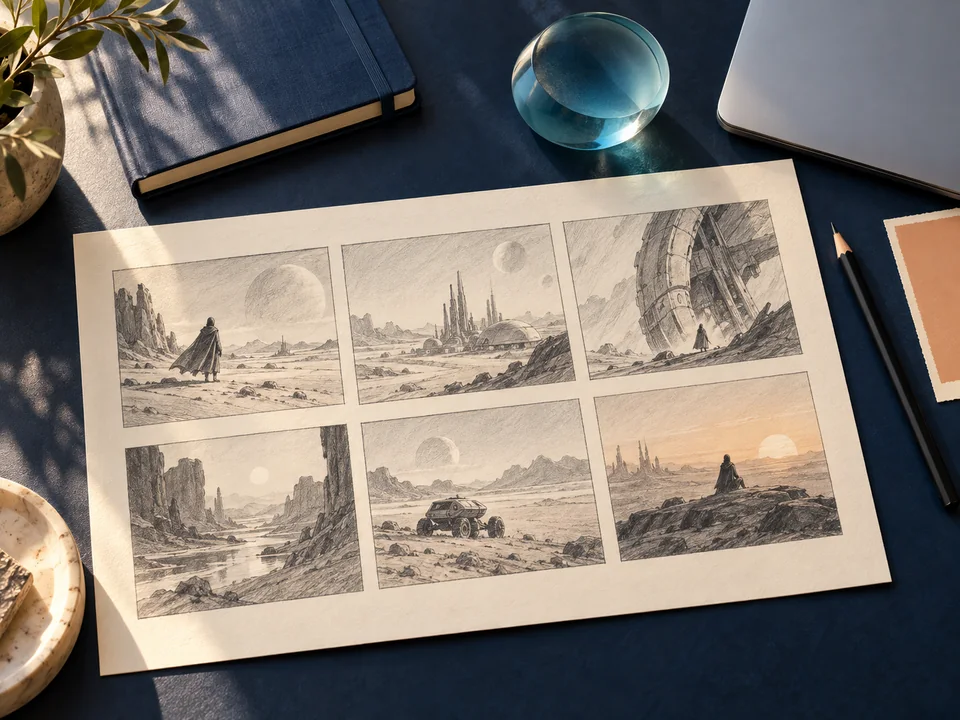
A guided route from a creative idea into a structured production process.
Develop scripts, storyboards, shots, voice, and edits with detailed control over each stage.
Connect text, image, video, and audio nodes. Organize references and decide when each step runs.
Organize scripts and use available starting material to develop the next production.
Manage recurring character references for use across your creative projects.
THE AI TOOLKIT
Prepare references, extend a visual into 3D, turn speech into text, manage authorized watermarks, and assemble the edit.
Analyze a reference image and develop a prompt to explore its subject, style, and composition.
Explore image-to-3D creation with the supported model and export options.
Turn recorded or supported streaming speech into editable text.
Add text or logo watermarks to images and video, or repair marks on material you are authorized to edit.
Organize clips, adjust timing and sound, and shape the final edit.
WHY BUILD WITH US
Our advantage is how the pieces work together: a conversational beginning, specialized creation tools, structured production, and the people who know how to use them.
Move from the brief to image, video, audio, and the edit with a toolkit designed around the whole production.
Start with an Agent or a guided film workflow. Use professional and canvas tools when you need more precise decisions.
Develop scripts, recurring characters, and scene references in the same creative direction, instead of resetting the story at every step.
Work with a team that connects AI engineering, creative development, content delivery, and hands-on education.
WHAT WE MAKE POSSIBLE
Technology becomes valuable when it meets a real creative need.
FOR BRANDS & ORGANIZATIONS
Brand films, product narratives, and campaign concepts built around a clear audience and creative direction.
Explore the approachFOR STORYTELLERS & STUDIOS
Original short-form stories, character development, and multi-shot narratives, with a production process that keeps the story in focus.
Explore the approachFOR EDUCATORS & CREATIVE TEAMS
Practical creative AI learning, from first experiments to project-based production and a stronger portfolio.
Explore the approachMAKE SOMETHING TOGETHER
Bring a project, a team, or a learning goal. We can shape the right combination of tools, creative guidance, and delivery around it.
Brand stories, campaign visuals, cultural storytelling, original shorts, and presenter-led communication.
Discuss a projectTalk through your workflow, the tools your creators need, and a practical starting project.
Explore the platformWorkshops, curriculum collaboration, and project-based practice for institutions and creative teams.
Discuss educationWHERE WE’RE HEADED
A new story, a brand vision, or a learning experience. Start with the idea.